xfreerdp
xfreerdp is an RDP (Remote Desktop Protocol) client for connecting to Windows remote desktops from Linux. Syntax always follows the same pattern:
xfreerdp /v:<IP> /u:<user> /p:<password> <options>.
| Type | CLI |
| Default port | 3389 |
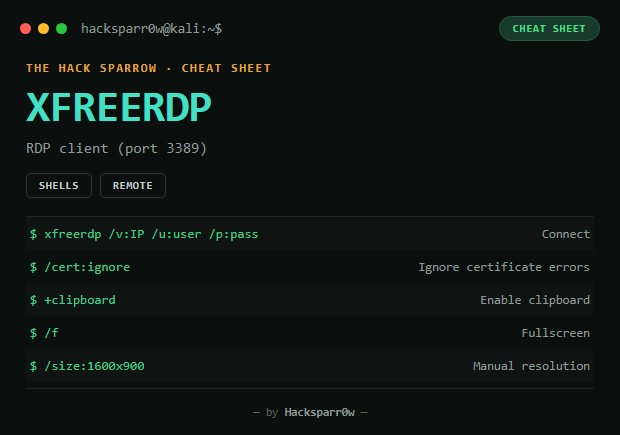
Main options
| Flag | What it sets |
|---|---|
/v:<IP>[:port] | Target server (defaults to port 3389, no need to specify it) |
/u:<user> | Windows username |
/p:<password> | Password — empty /p: if there isn't one (typical for Administrator on HTB) |
/cert:ignore | Ignores certificate errors (always recommended on HTB) |
/dynamic-resolution | Adjusts resolution automatically when resizing |
/f | Fullscreen (toggle with Ctrl+Alt+Enter) |
+clipboard | Enables copy/paste between your machine and the remote one |
/size:WidthxHeight or /w: /h: | Manual resolution |
/admin | Connects to the "console session" (useful if sessions are already open) |
Full examples for HTB
Administrator with no password:
xfreerdp /v:10.129.1.13 /u:Administrator /p: /cert:ignore /dynamic-resolution +clipboardWith a username and password:
xfreerdp /v:10.129.40.48 /u:User1 /p:Password123 /cert:ignore +clipboardFullscreen:
xfreerdp /v:10.129.40.48 /u:Administrator /p: /f /cert:ignoreSpecific resolution:
xfreerdp /v:10.129.40.48 /u:Administrator /p: /size:1600x900Common errors
| Error | Cause / fix |
|---|---|
| "Invalid Sigil" | Missing : in /u or /v — use /u:Administrator, not /u Administrator |
| Certificate error | Add /cert:ignore |
| Black screen on connect | Try /gfx or /network:lan |
| Clipboard doesn't work | Add +clipboard |
Responsible use
These commands are for systems you own or have explicit written authorisation to test (labs, CTFs, contracted engagements). Using them against third-party infrastructure without permission is illegal in most countries.
xfreerdp es un cliente RDP (Remote Desktop Protocol) para conectarse a escritorios remotos de Windows desde Linux. Sintaxis siempre con el mismo patrón:
xfreerdp /v:<IP> /u:<usuario> /p:<password> <opciones>.
| Tipo | CLI |
| Puerto por defecto | 3389 |
Opciones principales
| Flag | Qué indica |
|---|---|
/v:<IP>[:puerto] | Servidor objetivo (puerto 3389 por defecto, no hace falta ponerlo) |
/u:<usuario> | Usuario de Windows |
/p:<password> | Contraseña — /p: vacío si no tiene (típico del Administrator en HTB) |
/cert:ignore | Ignora errores de certificado (recomendado siempre en HTB) |
/dynamic-resolution | Ajusta la resolución automáticamente al redimensionar |
/f | Pantalla completa (alternar con Ctrl+Alt+Enter) |
+clipboard | Habilita copiar/pegar entre tu máquina y el remoto |
/size:AnchoxAlto o /w: /h: | Resolución manual |
/admin | Conecta a la "console session" (útil si ya hay sesiones abiertas) |
Ejemplos completos para HTB
Administrator sin contraseña:
xfreerdp /v:10.129.1.13 /u:Administrator /p: /cert:ignore /dynamic-resolution +clipboardCon usuario y contraseña:
xfreerdp /v:10.129.40.48 /u:User1 /p:Password123 /cert:ignore +clipboardPantalla completa:
xfreerdp /v:10.129.40.48 /u:Administrator /p: /f /cert:ignoreResolución concreta:
xfreerdp /v:10.129.40.48 /u:Administrator /p: /size:1600x900Errores típicos
| Error | Causa / solución |
|---|---|
| "Invalid Sigil" | Falta el : en /u o /v — usa /u:Administrator, no /u Administrator |
| Error de certificado | Añade /cert:ignore |
| Pantalla negra al conectar | Prueba /gfx o /network:lan |
| No funciona el portapapeles | Añade +clipboard |
Uso responsable
Estos comandos son para entornos propios o con autorización explícita por escrito (laboratorios, CTF, auditorías contratadas). Usarlos contra infraestructura ajena sin permiso es ilegal en la mayoría de países.