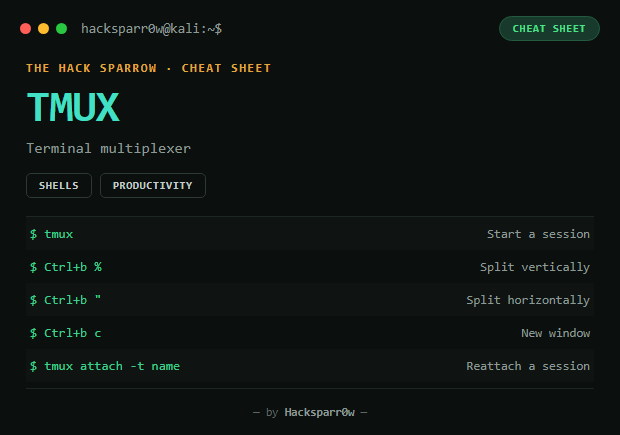
tmux is a terminal multiplexer: it lets you have several terminals on one screen (panes), and keep sessions alive even if the SSH connection drops. Essential for running several tools in parallel during a CTF or engagement.
Type
CLI
Platform
Kali / Linux / macOS
Splitting the screen
tmux # enter a session
Action
Shortcut
Split vertically (side by side)
Ctrl+b %
Split horizontally (top/bottom)
Ctrl+b "
Move between panes
Ctrl+b + arrows
Resize a pane
Ctrl+b, hold Ctrl + arrows
Maximise a pane
Ctrl+b z
Close a pane
exit or Ctrl+d
Sessions
Action
Command
Create a session
tmux
Create a named session
tmux new -s name
List sessions
tmux ls
Attach to a session
tmux attach -t name
Detach without closing
Ctrl+b, then d
Windows
Action
Shortcut
New window
Ctrl+b, then c
Switch window
Ctrl+b, then number 0-9
Rename window
Ctrl+b, then ,
Other useful ones
Action
Shortcut
Copy (copy mode)
Ctrl+b [
Paste
Ctrl+b ]
Show clock
Ctrl+b t
Responsible use
These commands are for systems you own or have explicit written authorisation to test (labs, CTFs, contracted engagements). Using them against third-party infrastructure without permission is illegal in most countries.
tmux es un multiplexor de terminal: permite tener varias terminales en una sola pantalla (paneles), y mantener sesiones vivas aunque se corte la conexión SSH. Imprescindible para llevar varias herramientas en paralelo durante un CTF o engagement.
Tipo
CLI
Plataforma
Kali / Linux / macOS
Dividir la pantalla
tmux # entrar en una sesión
Acción
Atajo
Dividir vertical (lado a lado)
Ctrl+b %
Dividir horizontal (arriba/abajo)
Ctrl+b "
Moverte entre paneles
Ctrl+b + flechas
Ajustar tamaño de panel
Ctrl+b, mantener Ctrl + flechas
Maximizar un panel
Ctrl+b z
Cerrar un panel
exit o Ctrl+d
Sesiones
Acción
Comando
Crear sesión
tmux
Crear sesión con nombre
tmux new -s nombre
Listar sesiones
tmux ls
Adjuntar a una sesión
tmux attach -t nombre
Salir sin cerrar la sesión
Ctrl+b, luego d
Ventanas
Acción
Atajo
Nueva ventana
Ctrl+b, luego c
Cambiar de ventana
Ctrl+b, luego número 0-9
Renombrar ventana
Ctrl+b, luego ,
Otros útiles
Acción
Atajo
Copiar (modo copy)
Ctrl+b [
Pegar
Ctrl+b ]
Ver reloj
Ctrl+b t
Uso responsable
Estos comandos son para entornos propios o con autorización explícita por escrito (laboratorios, CTF, auditorías contratadas). Usarlos contra infraestructura ajena sin permiso es ilegal en la mayoría de países.