MongoDB
MongoDB is a document-oriented NoSQL database (databases → collections → BSON/JSON documents, instead of tables and rows). Very relevant in pentesting because it often ships without authentication enabled and listens on port 27017/tcp, allowing full database reads without a password.
| Type | CLI |
| Default port | 27017 |
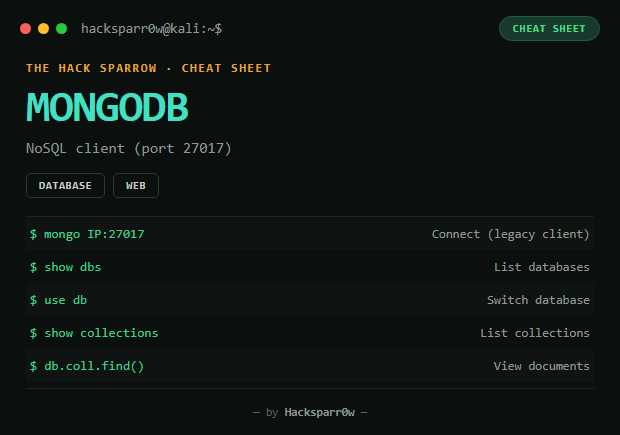
Connecting
| Client | When to use it |
|---|---|
mongo <IP>:27017 | Legacy client — recommended for old machines (supports MongoDB 3.x, typical on HTB) |
mongosh <IP>:27017 | Modern client — does NOT work with MongoDB 3.x (wire protocol version error) |
mongo | Local connection, no host |
Basic shell commands
show dbs                          // list databases
use <db_name>                     // switch database
show collections                  // list collections (tables)
db.<collection>.find()            // view documents
db.<collection>.find().pretty()   // view documents formatted
db.<collection>.count()           // count documents
db.<collection>.find({ "field": "value" })   // filtered search
Advanced commands
db                        // current database
db.stats()                // DB statistics
db.serverStatus()         // server info
db.getCollectionInfos()   // collections with stats
Dump / export
mongoexport --host <IP> --db <db> --collection <collection> --out file.json
mongodump --host <IP>   # saved into dump/
Standard HTB procedure
nmap -sC -sV -p- <IP>
# identify MongoDB on 27017
mongo <IP>:27017
show dbs
use sensitive_information
show collections
db.flag.find()
🔥 This path solves 90% of MongoDB machines on HTB.
Common errors
| Error | Fix |
|---|---|
| "mongo: command not found" | The client isn't installed — use manually downloaded binaries |
| "mongosh requires wire version 7" | The server is too old (3.x) — use legacy mongo, NOT mongosh |
| "Authentication failed" | The server has auth enabled — you need valid credentials |
| "Connection refused" | MongoDB isn't listening or is filtered — check with nmap -p27017 <IP> |
Responsible use
These commands are for systems you own or have explicit written authorisation to test (labs, CTFs, contracted engagements). Using them against third-party infrastructure without permission is illegal in most countries.
MongoDB es una base de datos NoSQL orientada a documentos (bases de datos → colecciones → documentos BSON/JSON, en vez de tablas y filas). Muy relevante en pentesting porque a menudo no tiene autenticación habilitada y escucha en el puerto 27017/tcp, permitiendo leer bases completas sin contraseña.
| Tipo | CLI |
| Puerto por defecto | 27017 |
Conexión
| Cliente | Cuándo usarlo |
|---|---|
mongo <IP>:27017 | Cliente legacy — recomendado para máquinas viejas (soporta MongoDB 3.x, típico en HTB) |
mongosh <IP>:27017 | Cliente moderno — NO funciona con MongoDB 3.x (error de wire protocol version) |
mongo | Conexión local sin host |
Comandos básicos dentro de la shell
show dbs                          // listar bases de datos
use <nombre_db>                   // cambiar de base
show collections                  // listar colecciones (tablas)
db.<coleccion>.find()             // ver documentos
db.<coleccion>.find().pretty()    // ver documentos con formato
db.<coleccion>.count()            // contar documentos
db.<coleccion>.find({ "campo": "valor" })   // buscar con filtro
Comandos avanzados
db                        // base de datos actual
db.stats()                // estadisticas de la DB
db.serverStatus()         // info del servidor
db.getCollectionInfos()   // colecciones con estadisticas
Dump / exportar
mongoexport --host <IP> --db <db> --collection <coleccion> --out fichero.json
mongodump --host <IP>   # se guarda en dump/
Procedimiento estándar en HTB
nmap -sC -sV -p- <IP>
# identificar MongoDB en 27017
mongo <IP>:27017
show dbs
use sensitive_information
show collections
db.flag.find()
🔥 Este camino resuelve el 90% de las máquinas con MongoDB en HTB.
Errores comunes
| Error | Solución |
|---|---|
| "mongo: command not found" | El cliente no está instalado — usa binarios descargados manualmente |
| "mongosh requires wire version 7" | El servidor es demasiado antiguo (3.x) — usa mongo legacy, NO mongosh |
| "Authentication failed" | El servidor tiene auth activado — necesitas credenciales válidas |
| "Connection refused" | MongoDB no escucha o está filtrado — comprueba con nmap -p27017 <IP> |
Uso responsable
Estos comandos son para entornos propios o con autorización explícita por escrito (laboratorios, CTF, auditorías contratadas). Usarlos contra infraestructura ajena sin permiso es ilegal en la mayoría de países.