DirBuster
DirBuster (OWASP) finds hidden content on a website: directories, files, and sensitive resources the developer didn't intend to be public. It sends thousands of HTTP requests against wordlist entries, and if the response differs from a "not found", the resource exists.
| Type | GUI (Java) |
| Platform | Kali Linux (OWASP tools) |
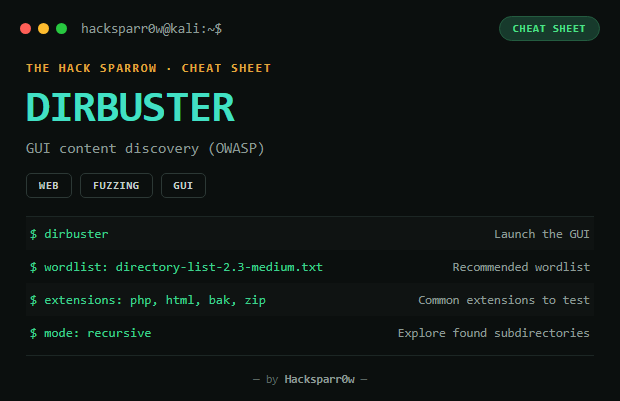
How to use it
Applications → Web Application Analysis → DirBuster
# or from the terminal:
dirbuster- Enter the target URL (e.g.
http://192.168.1.10/) - Choose a mode: Wordlist (most common) or recursive (explores found subdirectories)
- Recommended wordlist:
/usr/share/wordlists/dirbuster/directory-list-2.3-medium.txt - Optional extensions:
php, html, txt, bak, zip - Click Start
Reading the results
| Code | Meaning |
|---|---|
| 200 OK | Resource exists and is accessible |
| 301/302 | Redirect |
| 403 | Forbidden — exists but protected (still interesting) |
/admin/     403   -> hidden panel
/backup/    200   -> possibly sensitive data
/login.php  200   -> attack point (brute force, SQLi...)
/uploads/   301
DirBuster vs Gobuster
| Tool | Interface | Speed | Best for |
|---|---|---|---|
| DirBuster | GUI | Slow | Learning / detailed environment |
| Gobuster | CLI | Fast | Real pentesting and CTFs |
Gobuster is used more nowadays for speed, but DirBuster is still useful for learning the fuzzing process visually.
Tips
- Use large wordlists (rockyou doesn't work here — it's not a path wordlist)
- Try several extensions depending on the detected technology
- Compare response sizes to rule out false positives
- Combine it with Gobuster, Feroxbuster, Nikto, or Burp Suite
Responsible use
These commands are for systems you own or have explicit written authorisation to test (labs, CTFs, contracted engagements). Using them against third-party infrastructure without permission is illegal in most countries.
DirBuster (OWASP) encuentra contenido oculto en una web: directorios, archivos y ficheros sensibles que el desarrollador no quería que fueran públicos. Prueba miles de peticiones HTTP contra nombres de un diccionario (wordlist), y si la respuesta difiere de un "no encontrado", el recurso existe.
| Tipo | GUI (Java) |
| Plataforma | Kali Linux (OWASP tools) |
Cómo usarlo
Applications → Web Application Analysis → DirBuster
# o desde terminal:
dirbuster- Introduce la URL objetivo (ej.
http://192.168.1.10/) - Elige modo: Wordlist (el más usado) o recursivo (explora subdirectorios encontrados)
- Wordlist recomendada:
/usr/share/wordlists/dirbuster/directory-list-2.3-medium.txt - Extensiones opcionales:
php, html, txt, bak, zip - Pulsa Start
Interpretar resultados
| Código | Significado |
|---|---|
| 200 OK | Recurso existe y es accesible |
| 301/302 | Redirección |
| 403 | Prohibido — existe pero está protegido (igualmente interesante) |
/admin/     403   -> panel oculto
/backup/    200   -> podria haber datos sensibles
/login.php  200   -> punto de ataque (fuerza bruta, SQLi...)
/uploads/   301
DirBuster vs Gobuster
| Herramienta | Interfaz | Velocidad | Ideal para |
|---|---|---|---|
| DirBuster | GUI | Lento | Entorno educativo y detallado |
| Gobuster | CLI | Rápido | Pentesting real y CTFs |
Hoy en día se usa más Gobuster por velocidad, pero DirBuster sigue siendo útil para aprender el proceso de fuzzing visualmente.
Consejos
- Usa wordlists grandes (rockyou no sirve para esto — no es un diccionario de rutas web)
- Prueba varias extensiones según la tecnología detectada
- Compara tamaños de respuesta para descartar falsos positivos
- Combínalo con Gobuster, Feroxbuster, Nikto o Burp Suite
Uso responsable
Estos comandos son para entornos propios o con autorización explícita por escrito (laboratorios, CTF, auditorías contratadas). Usarlos contra infraestructura ajena sin permiso es ilegal en la mayoría de países.