Volatility
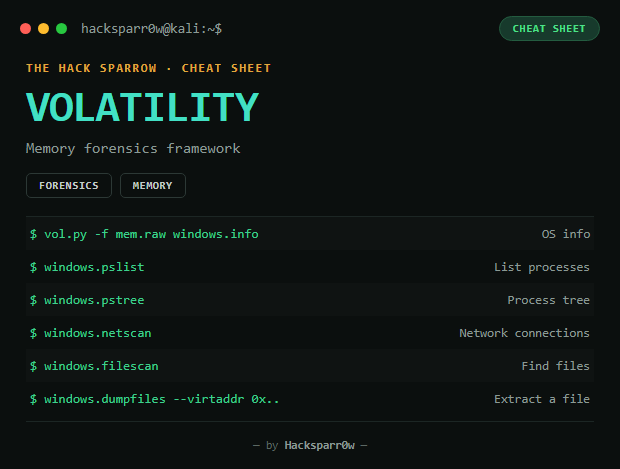
Volatility is the reference framework for volatile memory (RAM) forensic analysis: from a memory dump, it lists processes, network connections, open handles, loaded DLLs, and extracts injected files or payloads. This cheat sheet uses Volatility 3.
| Type | CLI (Python) |
| Input | RAM memory dump (.raw, .mem, .vmem...) |
1. Identify OS and processes
python3 vol.py -f memory.raw windows.info       # Windows version, architecture
python3 vol.py -f memory.raw windows.pslist      # process list
python3 vol.py -f memory.raw windows.pstree       # process tree (who launched whom)
python3 vol.py -f memory.raw windows.cmdline      # each process's command line
2. Network — connections (netstat)
python3 vol.py -f memory.raw windows.netscan
python3 vol.py -f memory.raw windows.netscan | grep 4444             # by port
python3 vol.py -f memory.raw windows.netscan | grep 192.168.1.50     # by IP
python3 vol.py -f memory.raw windows.netscan | grep ESTABLISHED      # by state
On PowerShell, use
findstrinstead ofgrep.
3. Handles — files, registry keys, mutexes
python3 vol.py -f memory.raw windows.handles
python3 vol.py -f memory.raw windows.handles --pid 1234
python3 vol.py -f memory.raw windows.handles --pid 1234 | grep File
python3 vol.py -f memory.raw windows.handles --pid 1234 | grep -i temp- See if a process has
C:\Users\...\AppData\Roaming\...open - Find unusual mutexes (
Mutant) typical of malware - See registry keys (
Key) touched by a process
4. DLLs loaded by a process
python3 vol.py -f memory.raw windows.dlllist --pid 1234
python3 vol.py -f memory.raw windows.dlllist --pid 1234 | grep -i appdata
5. Finding and extracting files
python3 vol.py -f memory.raw windows.filescan
python3 vol.py -f memory.raw windows.filescan | grep -i "evil.exe"
# with the offset found:
python3 vol.py -f memory.raw -o out/ windows.dumpfiles --virtaddr 0xDEADBEEF
6. A process's memory
python3 vol.py -f memory.raw windows.memmap --pid 1234        # memory ranges
python3 vol.py -f memory.raw windows.vadinfo --pid 1234       # VADs
python3 vol.py -f memory.raw -o out/ windows.vadump --pid 1234   # full VAD dump
Useful for extracting injected payloads and analysing suspicious executable sections.
7. Strings — IOCs, URLs, commands
strings -a memory.raw | grep -i "http"
strings -a memory.raw | grep -i "powershell"
Recommended mini-flow
python3 vol.py -f memory.raw windows.info
python3 vol.py -f memory.raw windows.pslist
python3 vol.py -f memory.raw windows.pstree
python3 vol.py -f memory.raw windows.netscan
# for a suspicious PID:
python3 vol.py -f memory.raw windows.cmdline --pid 1234
python3 vol.py -f memory.raw windows.dlllist --pid 1234
python3 vol.py -f memory.raw windows.handles --pid 1234
# find and extract a suspicious file:
python3 vol.py -f memory.raw windows.filescan | grep -i "evil.exe"
python3 vol.py -f memory.raw -o out/ windows.dumpfiles --virtaddr 0x...
Responsible use
These commands are for systems you own or have explicit written authorisation to test (labs, CTFs, contracted engagements). Using them against third-party infrastructure without permission is illegal in most countries.
Volatility es el framework de referencia para análisis forense de memoria volátil (RAM): a partir de un volcado de memoria, permite listar procesos, conexiones de red, handles abiertos, DLLs cargadas, y extraer ficheros o payloads inyectados. Esta chuleta usa Volatility 3.
| Tipo | CLI (Python) |
| Entrada | Volcado de memoria RAM (.raw, .mem, .vmem...) |
1. Identificar SO y procesos
python3 vol.py -f memoria.raw windows.info       # version de Windows, arquitectura
python3 vol.py -f memoria.raw windows.pslist      # lista de procesos
python3 vol.py -f memoria.raw windows.pstree       # arbol de procesos (quien lanzo a quien)
python3 vol.py -f memoria.raw windows.cmdline      # linea de comandos de cada proceso
2. Red — conexiones (netstat)
python3 vol.py -f memoria.raw windows.netscan
python3 vol.py -f memoria.raw windows.netscan | grep 4444             # por puerto
python3 vol.py -f memoria.raw windows.netscan | grep 192.168.1.50     # por IP
python3 vol.py -f memoria.raw windows.netscan | grep ESTABLISHED      # por estado
En PowerShell, usa
findstren vez degrep.
3. Handles — archivos, claves de registro, mutex
python3 vol.py -f memoria.raw windows.handles
python3 vol.py -f memoria.raw windows.handles --pid 1234
python3 vol.py -f memoria.raw windows.handles --pid 1234 | grep File
python3 vol.py -f memoria.raw windows.handles --pid 1234 | grep -i temp- Ver si un proceso tiene abierto
C:\Users\...\AppData\Roaming\... - Encontrar mutex raros (
Mutant) típicos de malware - Ver claves de registro (
Key) tocadas por un proceso
4. DLLs cargadas por un proceso
python3 vol.py -f memoria.raw windows.dlllist --pid 1234
python3 vol.py -f memoria.raw windows.dlllist --pid 1234 | grep -i appdata
5. Buscar y extraer archivos
python3 vol.py -f memoria.raw windows.filescan
python3 vol.py -f memoria.raw windows.filescan | grep -i "evil.exe"
# con el offset encontrado:
python3 vol.py -f memoria.raw -o out/ windows.dumpfiles --virtaddr 0xDEADBEEF
6. Memoria de un proceso
python3 vol.py -f memoria.raw windows.memmap --pid 1234        # rangos de memoria
python3 vol.py -f memoria.raw windows.vadinfo --pid 1234       # VADs
python3 vol.py -f memoria.raw -o out/ windows.vadump --pid 1234   # dump completo de un VAD
Útil para extraer payloads inyectados y analizar secciones ejecutables sospechosas.
7. Strings — IOCs, URLs, comandos
strings -a memoria.raw | grep -i "http"
strings -a memoria.raw | grep -i "powershell"
Mini flujo recomendado
python3 vol.py -f memoria.raw windows.info
python3 vol.py -f memoria.raw windows.pslist
python3 vol.py -f memoria.raw windows.pstree
python3 vol.py -f memoria.raw windows.netscan
# ante un PID sospechoso:
python3 vol.py -f memoria.raw windows.cmdline --pid 1234
python3 vol.py -f memoria.raw windows.dlllist --pid 1234
python3 vol.py -f memoria.raw windows.handles --pid 1234
# buscar y extraer un archivo sospechoso:
python3 vol.py -f memoria.raw windows.filescan | grep -i "evil.exe"
python3 vol.py -f memoria.raw -o out/ windows.dumpfiles --virtaddr 0x...
Uso responsable
Estos comandos son para entornos propios o con autorización explícita por escrito (laboratorios, CTF, auditorías contratadas). Usarlos contra infraestructura ajena sin permiso es ilegal en la mayoría de países.