macchanger
macchanger changes ("spoofs") the MAC address of a network interface — the network card's physical "plate". Used to increase privacy, bypass MAC-based filters, avoid tracking on Wi-Fi networks, and in security testing/pentesting.
| Type | CLI |
| Install | sudo apt install macchanger (bundled in Kali) |
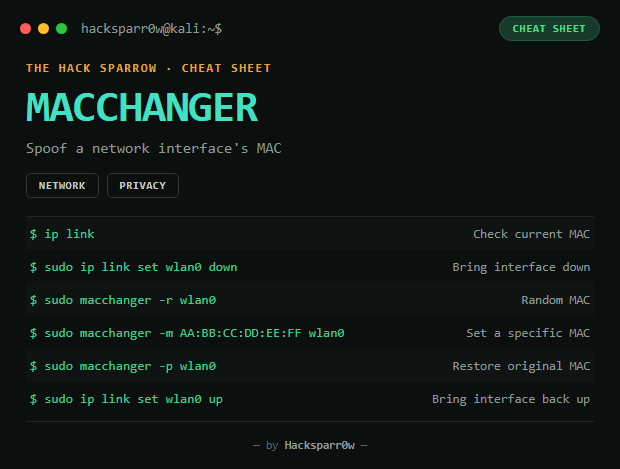
Full flow
Check the current MAC:
ip link
# or
ifconfig
Before changing it, bring the interface down:
sudo ip link set wlan0 downChange to a random MAC:
sudo macchanger -r wlan0Current MAC: 00:11:22:33:44:55
New MAC: aa:bb:cc:dd:ee:ff (random)Change to a specific MAC:
sudo macchanger -m 11:22:33:44:55:66 wlan0Restore the original factory MAC:
sudo macchanger -p wlan0Bring the interface back up and verify:
sudo ip link set wlan0 up
ip link show wlan0
Quick summary
sudo ip link set wlan0 down
sudo macchanger -r wlan0
sudo ip link set wlan0 up
Responsible use
These commands are for systems you own or have explicit written authorisation to test (labs, CTFs, contracted engagements). Using them against third-party infrastructure without permission is illegal in most countries.
macchanger cambia ("spoofea") la dirección MAC de una interfaz de red — la "matrícula" física de la tarjeta. Se usa para aumentar privacidad, saltar filtros basados en MAC, evitar rastreo en redes Wi-Fi, y en pruebas de ciberseguridad/pentesting.
| Tipo | CLI |
| Instalación | sudo apt install macchanger (viene en Kali) |
Flujo completo
Comprobar la MAC actual:
ip link
# o
ifconfig
Antes de cambiarla, hay que bajar la interfaz:
sudo ip link set wlan0 downCambiar a una MAC aleatoria:
sudo macchanger -r wlan0Current MAC: 00:11:22:33:44:55
New MAC: aa:bb:cc:dd:ee:ff (random)Cambiar a una MAC específica:
sudo macchanger -m 11:22:33:44:55:66 wlan0Volver a la MAC original de fábrica:
sudo macchanger -p wlan0Reactivar la interfaz y verificar:
sudo ip link set wlan0 up
ip link show wlan0
Resumen rápido
sudo ip link set wlan0 down
sudo macchanger -r wlan0
sudo ip link set wlan0 up
Uso responsable
Estos comandos son para entornos propios o con autorización explícita por escrito (laboratorios, CTF, auditorías contratadas). Usarlos contra infraestructura ajena sin permiso es ilegal en la mayoría de países.